Ask: research without changing anything
Ask mode is for research and answers only. Bright won’t create issues, documents, or plans while you’re here. You run a small API in production, and you hear about failures from users before you see them in logs. Before writing any code, you want an engineering answer: does a dedicated error-tracking service earn its keep, and which one fits a small project? Start a new session, switch to Ask, and paste: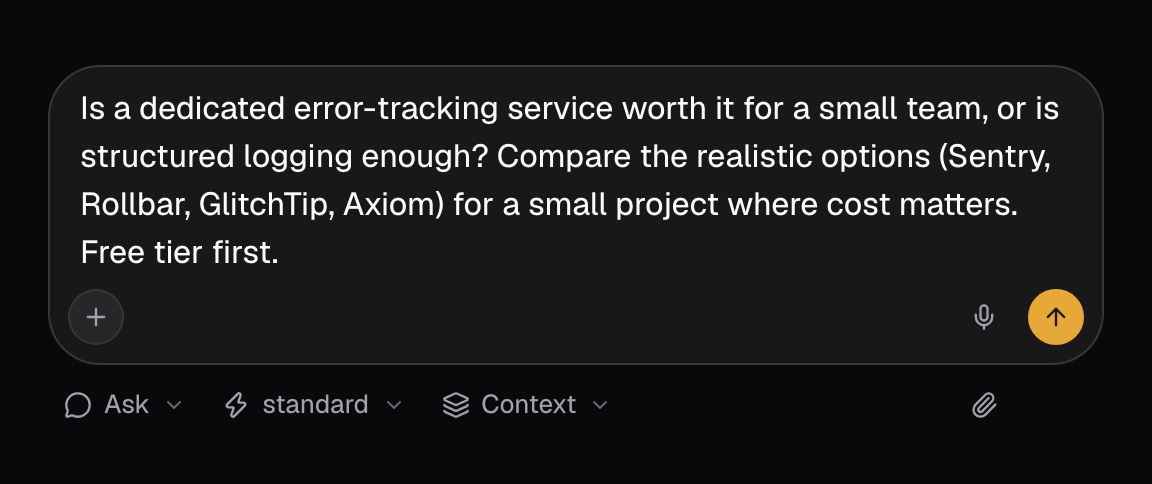 Expand the Thinking block above the reply (it reads Thought through the request once it finishes). Bright clarifies objectives, then typically:
- Assigns an Explorer to inspect your repo and stack (framework, error handling today)
- Assigns a Researcher to compare error-tracking services on setup effort and free tiers
- Runs those tracks in parallel
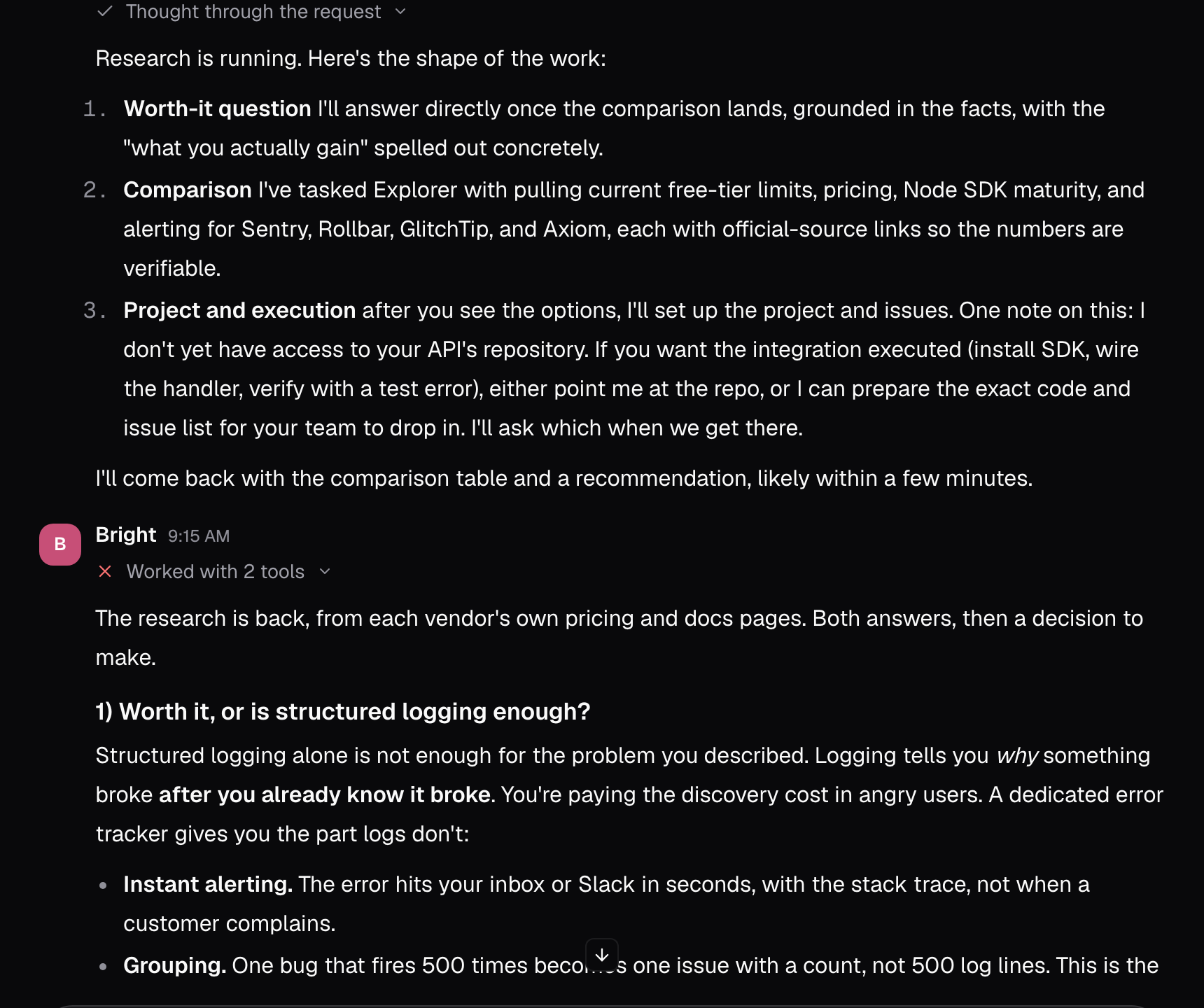
The two captures in this section come from the one-shot session, which ran in Agent mode. That is why Bright also promises to set up the project once the options land. In Ask mode the reply stops at the recommendation.
- A dedicated service beats logs alone for production failures: grouped errors with stack traces and source context, release tagging, and alerts when a new error class appears
- Sentry fits a small project: free tier plus paid tiers (see sentry.io/pricing) and a maintained Node.js SDK
- Skip self-hosting for now. It is operationally heavier than the problem justifies at this size
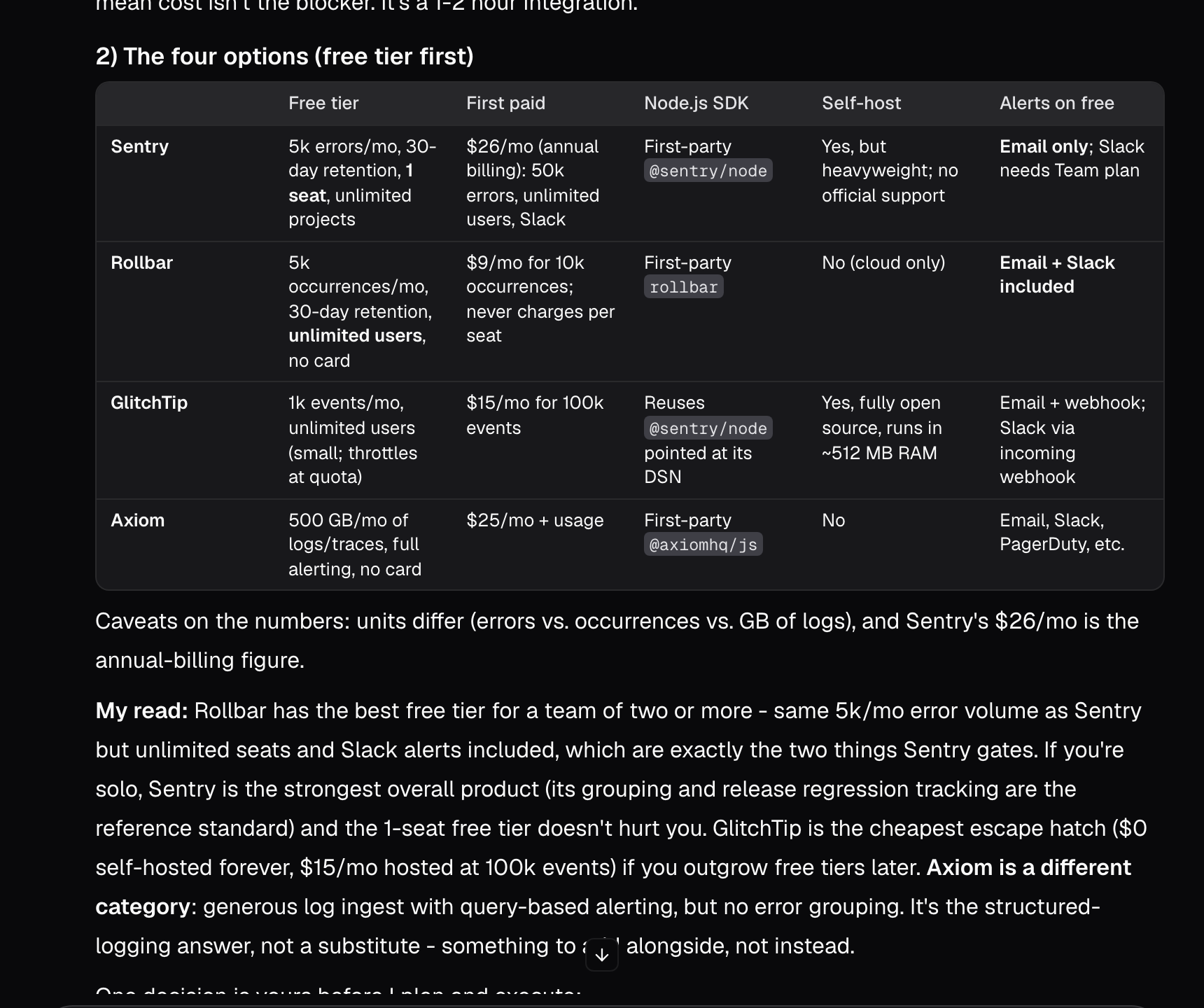
Bright also flags tradeoffs: what you give up by not self-hosting, and when plain structured logging is still the right answer.
1
Create the Sentry project
Create your org and project in the Sentry dashboard, and note the DSN.
2
Add env vars
Store
SENTRY_DSN server-side only.3
Install the SDK
Add the Sentry Node SDK and wire the error handler middleware.
4
Verify with a test error
Trigger one handled test error and confirm it shows up with a stack trace.
Plan: turn research into a plan
Once the direction is clear, switch to Plan. Bright can organize work, set goals, and map steps, but it still won’t mutate your workspace until you move to Agent. Confirm the decisions and request a plan: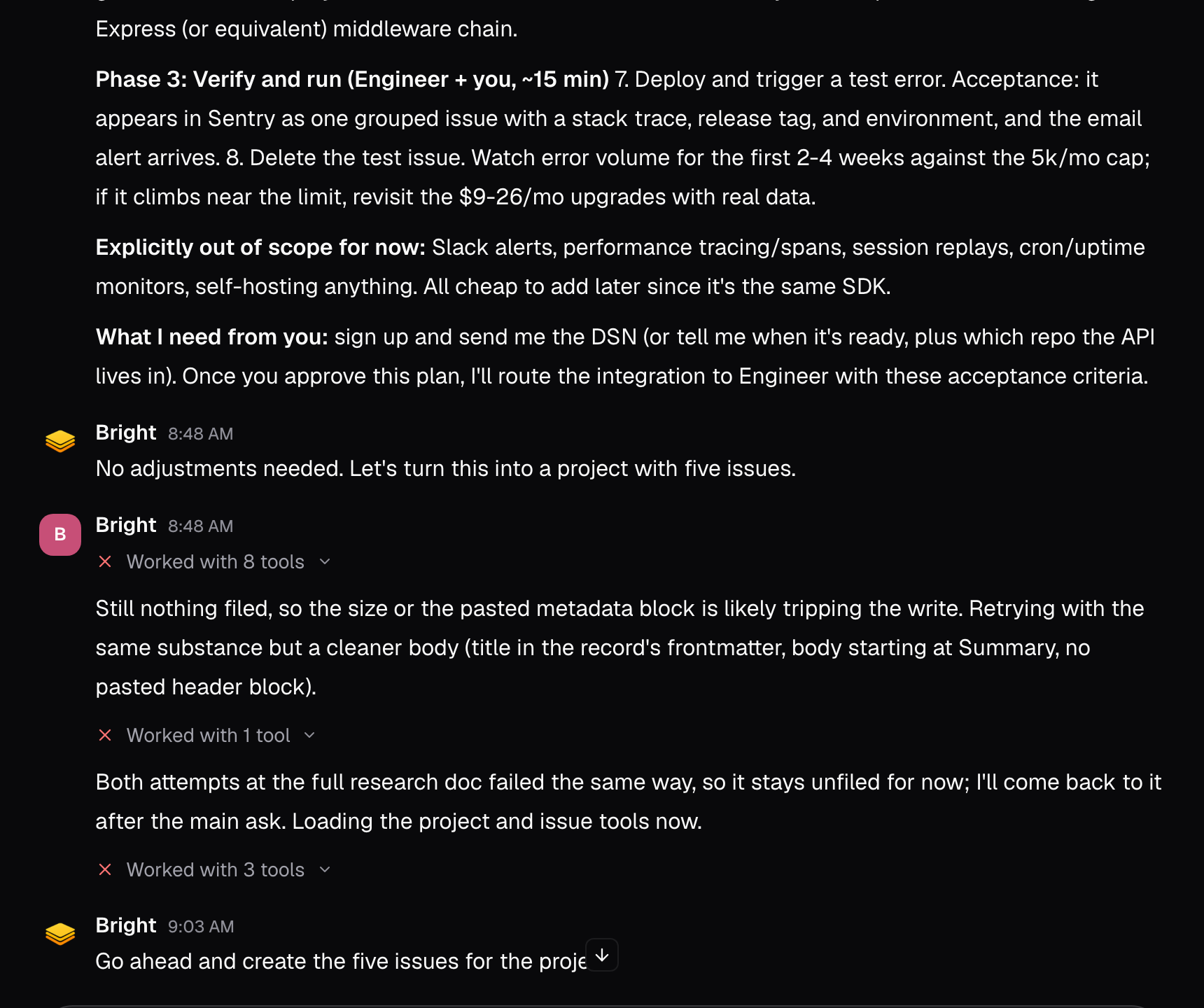 A good plan includes three things:
- A clear issue breakdown
- Key decisions, so the team shares the same context
- An out of scope list, so work doesn’t quietly expand
- Create the Sentry org and project, note the DSN
- Add
SENTRY_DSNto your deployment environment - Install the Sentry SDK and wire error-handling middleware
- Tag releases so errors map to the code that shipped them
- Trigger a test error and verify the stack trace end-to-end
Agent: create the project and ship the work
Agent mode gives Bright full access: create issues, docs, and projects, run sandbox commands, change the workspace, and generate code. Switch to Agent and send: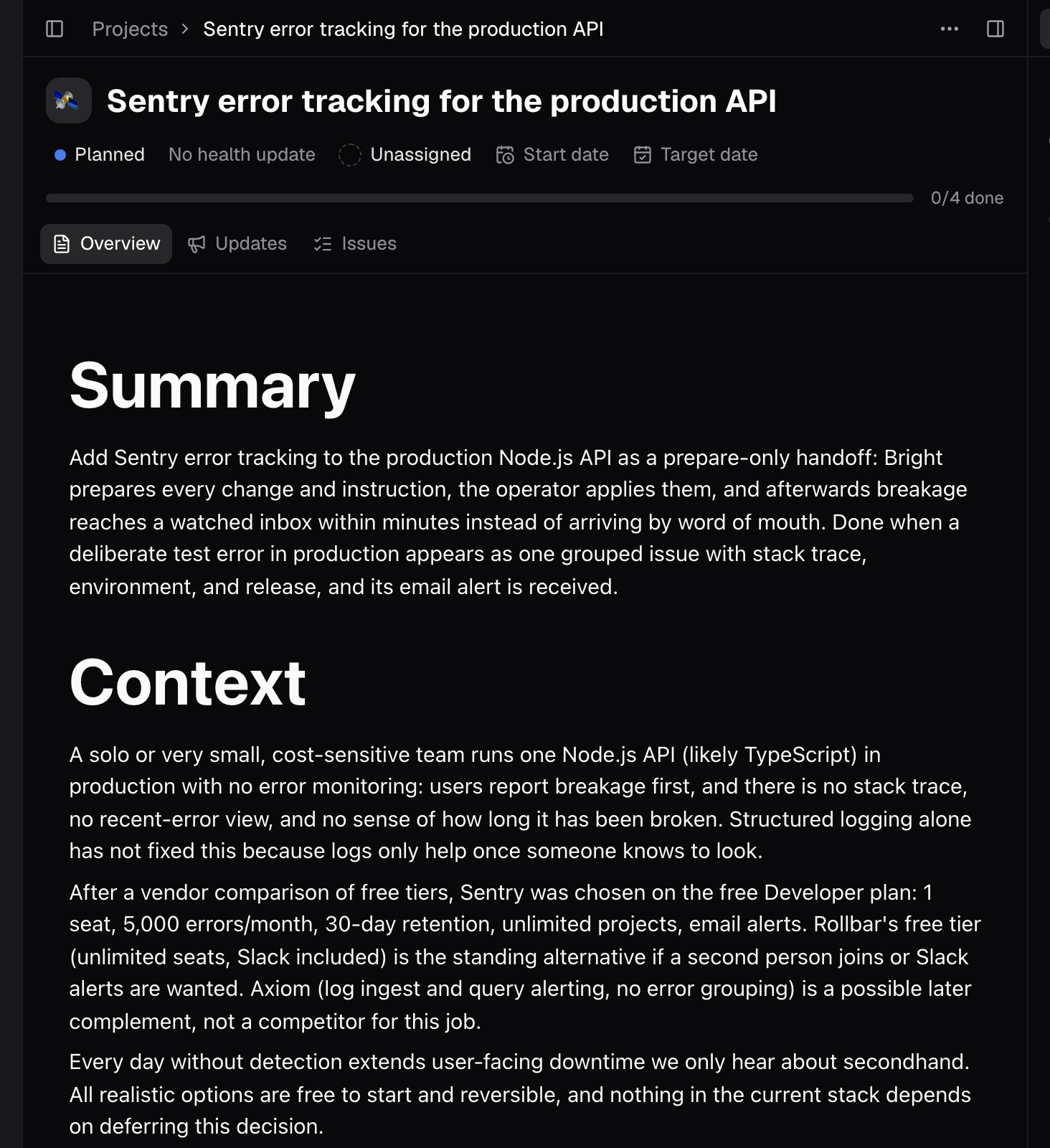
Watch the work move
Open the project and switch its issues to Board view. Each column is a status (Backlog, Planned, In progress, Review, Done, Cancelled) and each card is an issue. Triage is never a column; it is its own intake queue in the Plan rail. Change an issue’s status and its card moves to the matching column, so the board shows what’s active, what’s waiting, and what’s done without opening a single issue.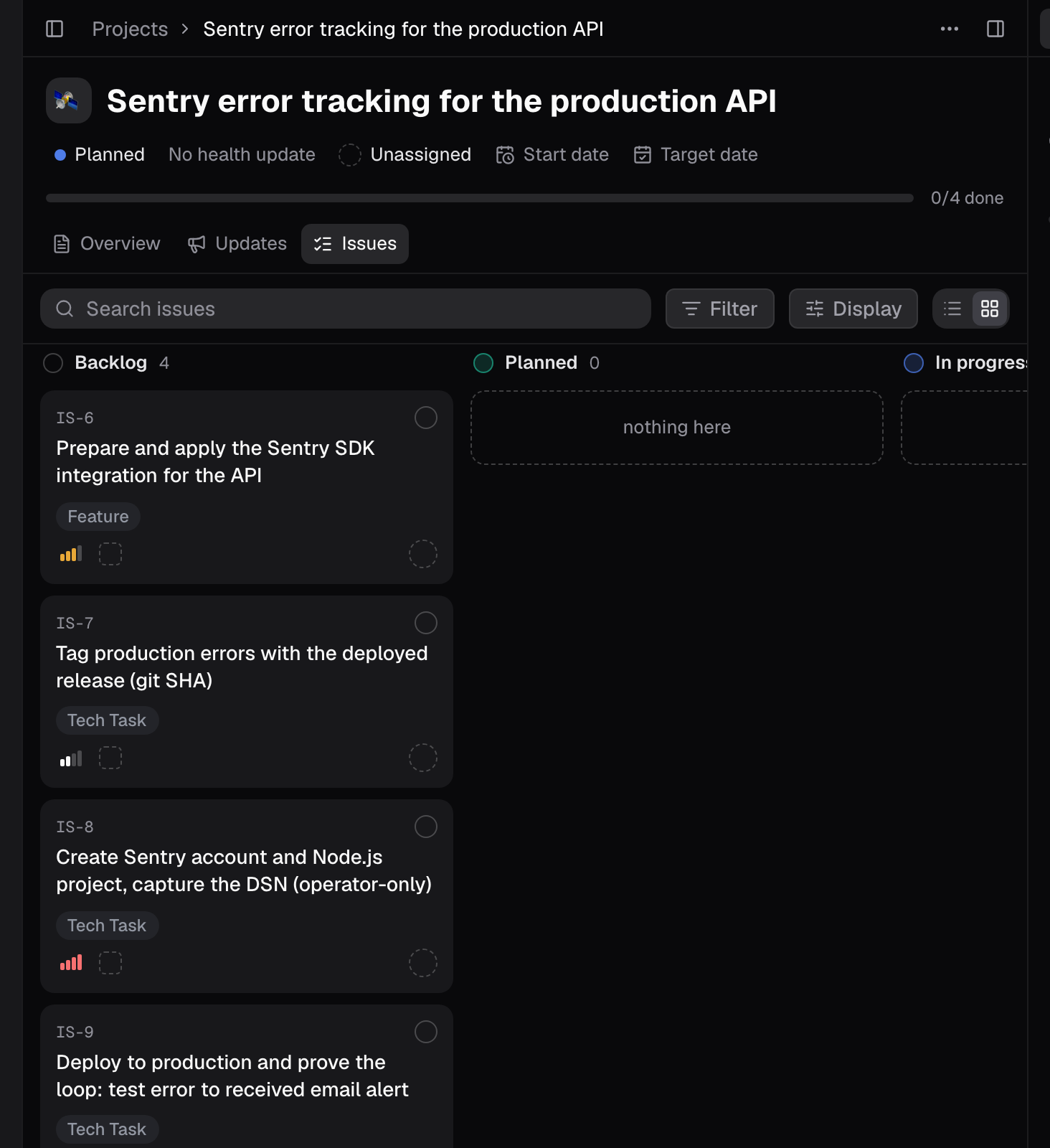 The toggle beside it switches back to List view, the same issues with status, priority, and assignee inline. The workspace-wide Issues view carries the same pair, so you can watch one project’s board or every project at once.
For the longer view, Timeline in the Plan section draws each project as a bar with its status, start and target dates, and progress. A project with no dates set shows as not scheduled; the project’s Start date and Target date fields drive the bar. Bright’s timeline tracks projects, not individual issues; there’s no per-issue Gantt today. The Issues and Projects pages cover statuses, filters, and views in depth.
The toggle beside it switches back to List view, the same issues with status, priority, and assignee inline. The workspace-wide Issues view carries the same pair, so you can watch one project’s board or every project at once.
For the longer view, Timeline in the Plan section draws each project as a bar with its status, start and target dates, and progress. A project with no dates set shows as not scheduled; the project’s Start date and Target date fields drive the bar. Bright’s timeline tracks projects, not individual issues; there’s no per-issue Gantt today. The Issues and Projects pages cover statuses, filters, and views in depth.
Who does what
Bright will often split ownership: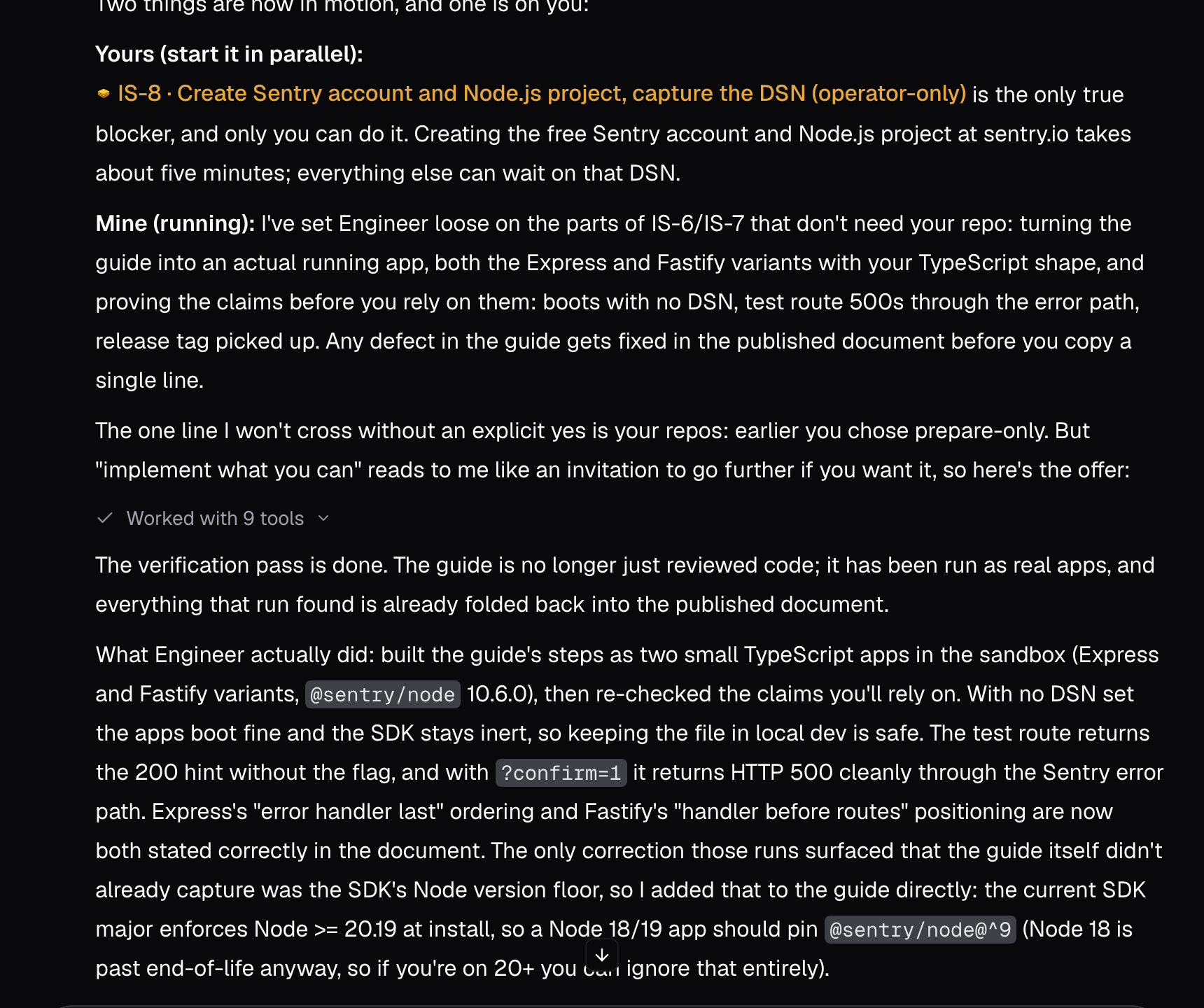
Hand off engineering work
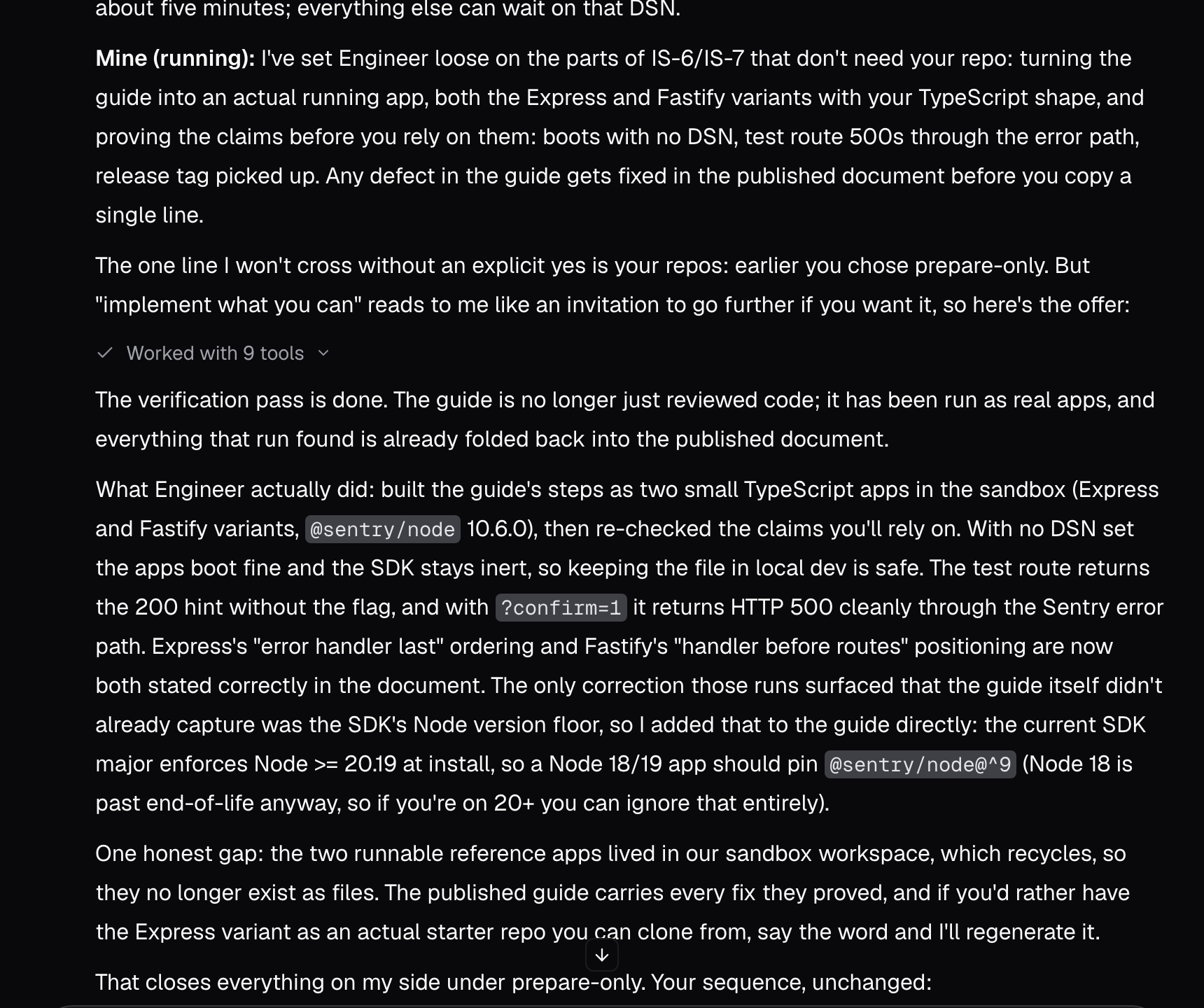 With repository access granted, Bright connects to GitHub, clones the repo, works on a branch, pushes changes, and opens a pull request. Your job is review, approve, merge. In the captured run the operator had chosen prepare-only, so Engineer verified the integration guide in the sandbox and stopped short of the repository, as the next screenshot shows.

Review the result
The loop ends where it started: with evidence. Open the pull request, read the diff, and check the verification Bright ran. Then trigger one real error and confirm it lands in the Sentry dashboard with a stack trace. If the dashboard is quiet while your API is failing, the wiring isn’t done; send Bright back to the issue with what you saw.Good to know
- Plan mode never writes. The plan you review exists only in the session until you switch to Agent and approve it.
- Bright’s timeline tracks projects, not issues. Give a project Start and Target dates or it shows as not scheduled.
- The account and config steps (creating the Sentry project, adding the DSN) stay with you. Bright will tell you which ones and wait.