Choose which mechanism holds what
Pick the mechanism by what you want it to carry.None of these grant permission. A skill or agent shapes behavior; neither adds connector access nor removes a tool approval. An agent instructed to “always push to main” still stops at the approval card. Guidance and permission are separate systems, and that separation is what makes them safe to share.
Write the release checklist as a skill
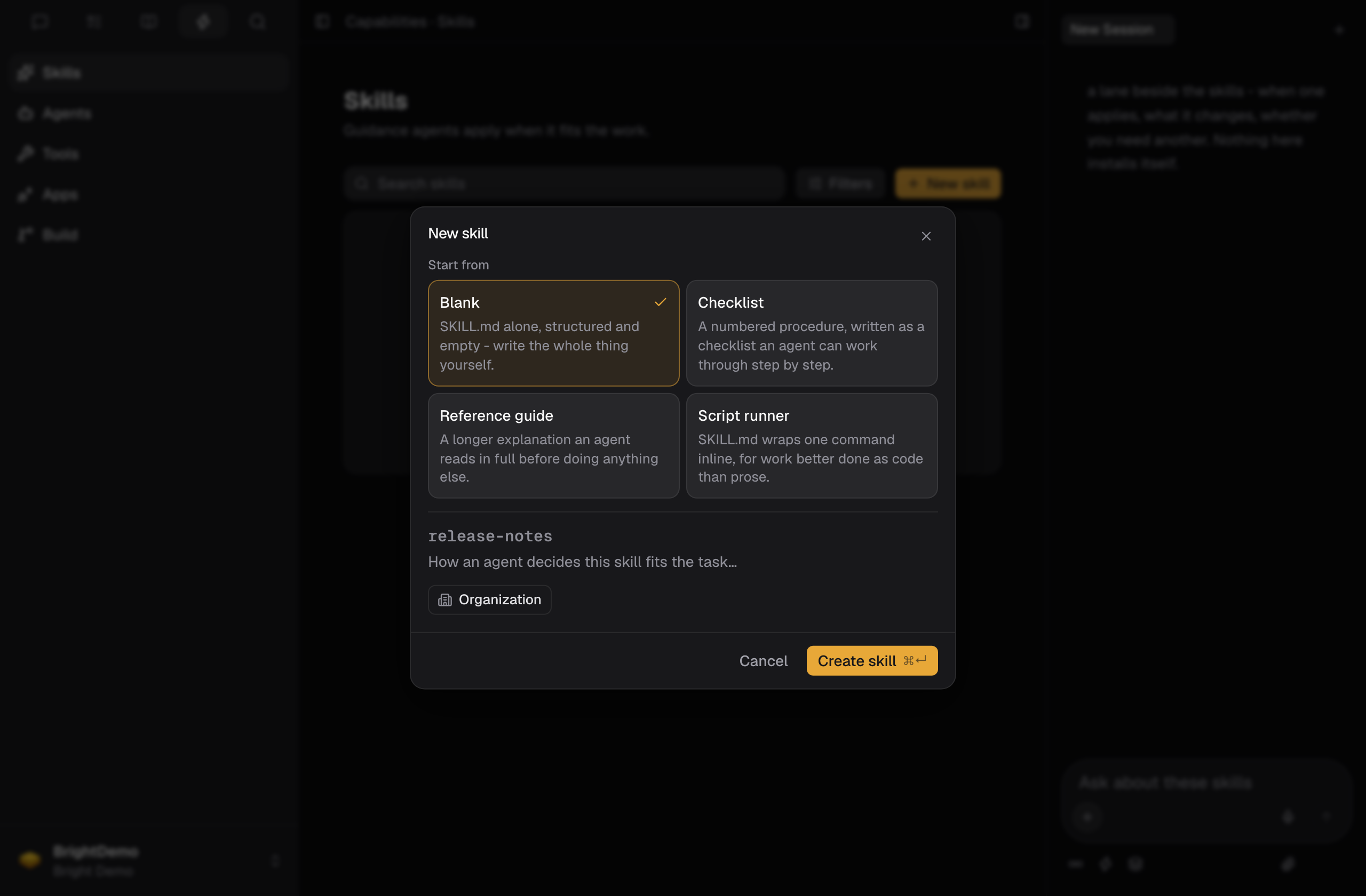
- Open Capabilities, choose Skills, and select New skill.
- Fill in the dialog. It asks for a scaffold (Start from), a name, a description, and visibility. Name it
release-check: lowercase letters, numbers, and hyphens, up to 48 characters. Visibility is Organization or Private, and defaults to Organization. - Write the description as a trigger condition rather than a title: “Use when reviewing a change for release readiness.” You have 160 characters; spend them on when, not what. The description is how an agent decides the skill applies.
- Create the skill, then open it and write the actual procedure in its SKILL.md.
- Specify an output contract, not just a topic. “Return a table with one row per check, a pass/fail, and the evidence line that justifies it. If evidence is missing, mark it Unknown rather than Pass.”
Deleting a skill is permanent: agents stop applying it immediately, and its SKILL.md goes with it.
Give the reviewer a point of view
- In Capabilities, choose Agents, and select New agent.
- Fill in the dialog. It asks for a handle, a one-line role, instructions, and visibility.
- Choose the handle carefully. It is how the agent is summoned:
@release-captain. The handle is fixed once the agent is created; role and instructions stay editable. - Write instructions that say what the agent refuses, not only what it does. “Do not approve a release with an irreversible migration and no rollback note. Say so and stop.”
Use them together on a real change
Mention the agent, invoke the skill, and name the issue in one message:Review the output before you trust the system
The first few runs are testing the skill, not the change. Check that Unknown is being used honestly. A skill that never returns Unknown has learned to please you rather than to check. Tighten the wording and run it again.What good looks like
- The checklist exists once, not in four people’s heads.
- The skill specifies an output contract, including how to report missing evidence.
- The agent has at least one explicit refusal.
- New teammates are told to type
/and@in a composer, because that is where the full inventory shows up.
Good to know
- A skill description has 160 characters. Write it as a trigger condition, since it is how an agent decides the skill applies.
- A skill name is a slug: lowercase letters, numbers, and hyphens, up to 48 characters. Visibility is Organization or Private.
- A skill or agent shapes behavior only. Neither adds connector access nor removes a tool approval.
- An agent handle is fixed once the agent is created. Its role and instructions stay editable.
- Deleting a skill is permanent. Agents stop applying it immediately, and its SKILL.md goes with it.
- Type
/and@in a composer to see the full inventory of skills and agents.
Related pages
- Turn a support escalation into planned work: get the underlying defect into a scoped issue first.
- Run your morning without missing anything: a review you run every morning is the same pattern at daily cadence.
- Hand an issue to a coding agent without a round trip: the review’s subject is often a change an agent made.