Bright writes code in a temporary cloud machine shared by your sessions and agents, so push at the end of every issue or the work can vanish.
Engineering work happens in a temporary cloud sandbox, not on your machine. Nothing in it is durable until it is committed and pushed. This is the most consequential thing to understand before you ask Bright to touch code, and the easiest to learn the hard way.Open Bright →
When an Engineer agent writes or fixes code, it works inside an ephemeral Linux machine in the cloud, the same Personal sandbox the built-in editor opens. You get one per organization, and every session and agent shares it. It is not your local checkout, and nothing in it touches your machine.
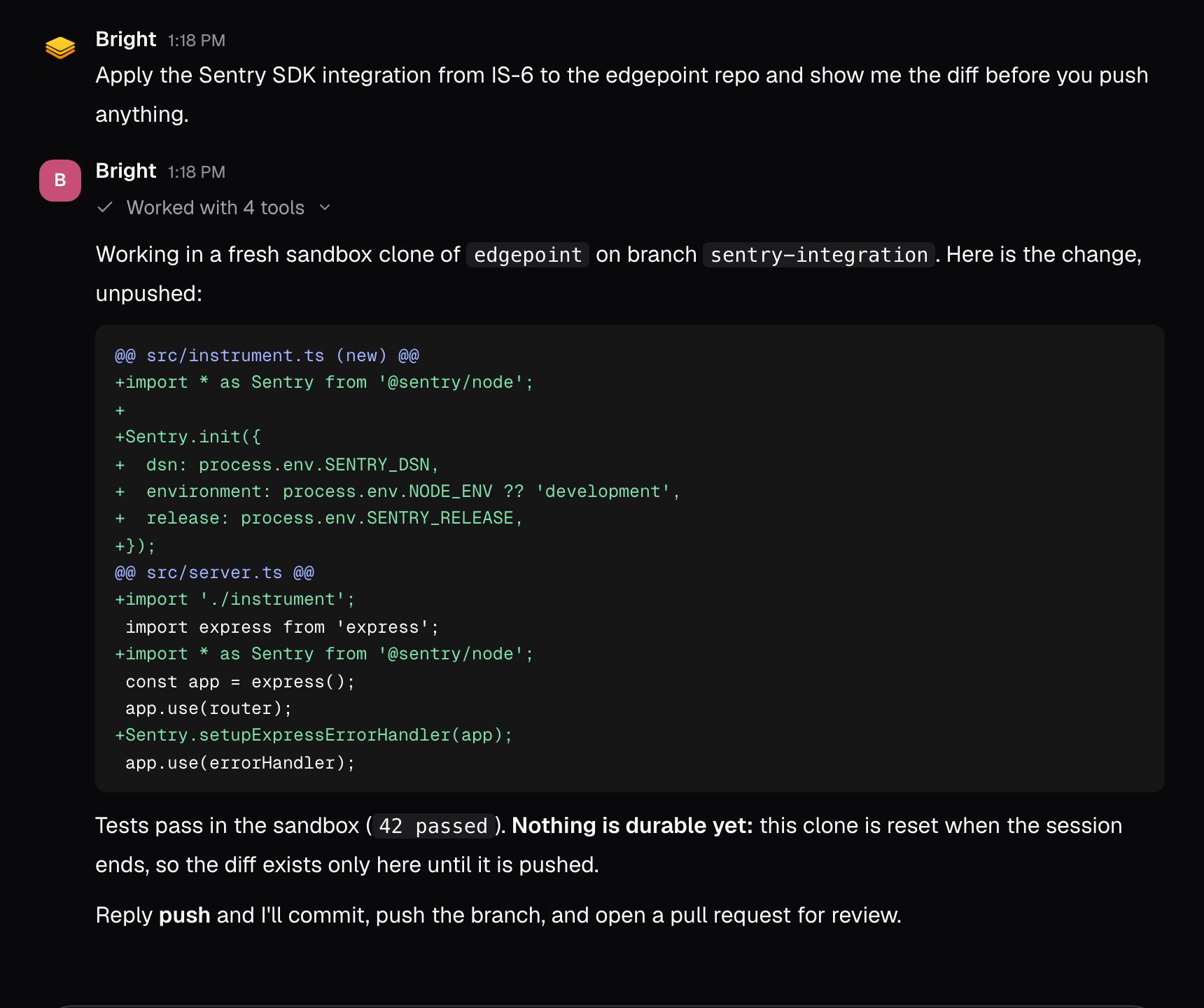
Changes made in the sandbox stay in the sandbox until the agent commits and pushes, or opens a branch or pull request. Until then, the work exists in one temporary place.
Unpushed work is lost. The sandbox is wiped when it times out after about an hour of inactivity, or when it crashes. A local commit does not survive that, so only pushed work is safe. There is no recovery path.
Starting a new session does not reset the sandbox, and neither does another agent working in it. A new session reattaches to the same machine with your files still in place. Concurrent agents are a reason to watch for conflicting edits, not a reason to expect an empty filesystem.
Push after each issue rather than batching several together. Batching widens the window in which a reset destroys work, and it makes the loss harder to reconstruct.
Scope each session to a single issue.
Ask the agent to run the tests and report the result.
Ask for a commit and push, or a pull request, before you end the session.
Confirm the branch or pull request exists on GitHub.
Start the next issue in a new session from a clean base.
A session that reports code as finished has not necessarily preserved it. Treat a push, a branch, or an open pull request as the completion signal, not the agent’s summary. Verify at GitHub before closing the issue.