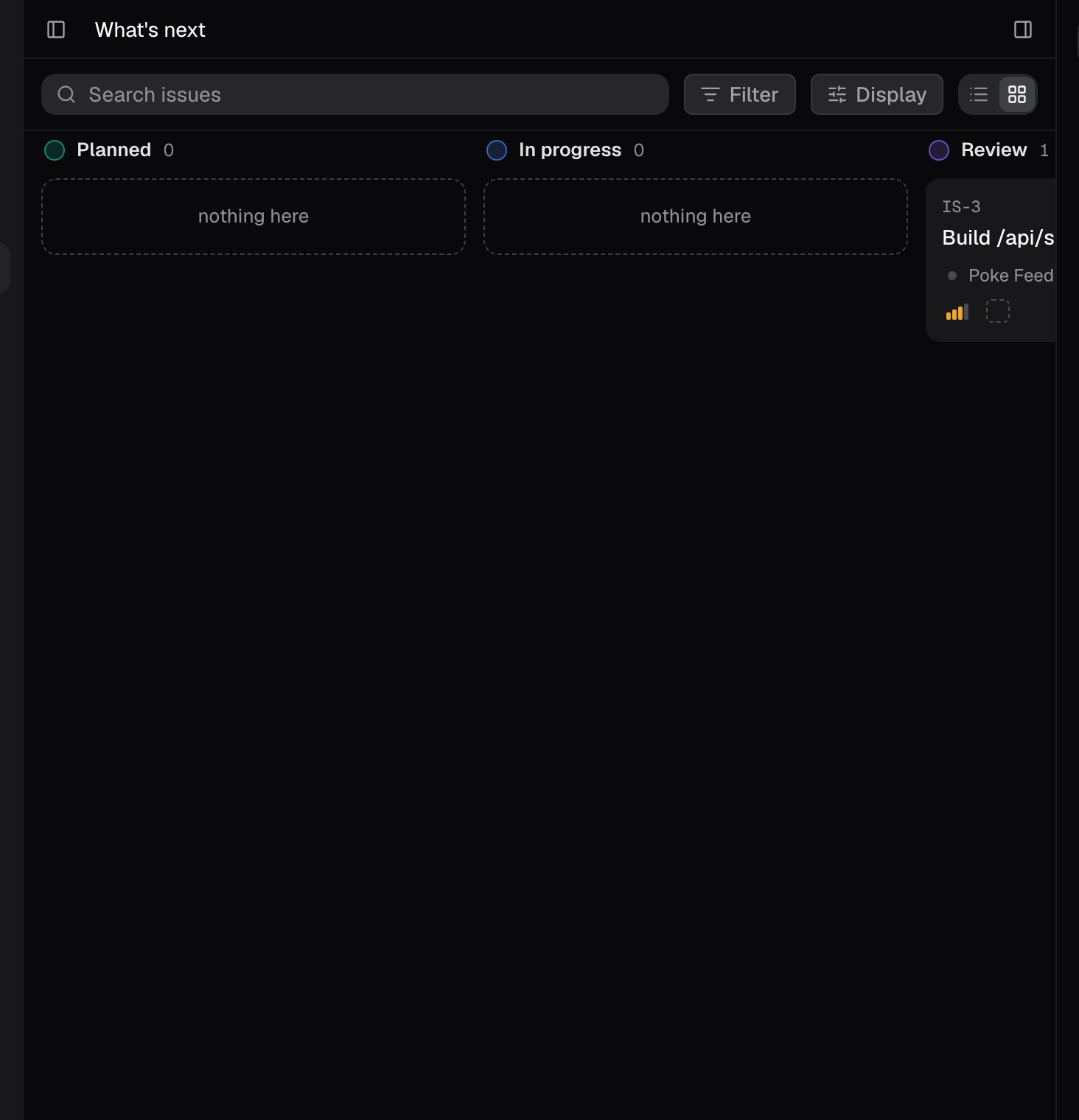
1. Start with What’s next
What’s next holds the committed work. Its list view orders it Review first, then In progress, then Planned, so the thing closest to done leads. Board columns keep lifecycle order. That is the set you can actually act on this morning. It is also where Friday’s finished work shows up for review. Two neighbors tell you the rest of the story:- Triage is incoming work, decided one issue at a time: accept it, plan it, or decline it. Anything set to Triage over the weekend is waiting here.
- Backlog is accepted work you have not committed to. It is not today’s work, however urgent it looks.
2. Sweep the sessions
Open the Sessions panel. Recent rows read Working… while a session is active and show its last message otherwise, so a slow scan tells you what is still running. Open anything that finished and read the right rail’s Work tab for the goal and task progress, the Waiting on you strip above the composer for anything that needs your answer, and the Artifacts tab for what the session produced. Anything you still owe an answer to, answer now. A session paused on a tool approval does not resume until you decide.3. Search for the specific thing
The morning sweep answers “what happened”; the palette answers “where is it”:- Cmd+K, Cmd+P, or Cmd+O opens the one command palette from anywhere. It searches sessions, issues (type an issue code), projects, docs, and artifacts, plus Go to shortcuts for sections such as Agents. An issue code or a session title in your head is two keystrokes from open.
- Inside a document body, Cmd+K makes a link instead, so use Cmd+P or Cmd+O there.
- The Search issues box narrows whichever view you are in. Only the Status filter is written to the URL, so a status-narrowed list is shareable; the search text and other filters apply to your current visit.
4. Hand the first item off
By now one item is obviously first. Hand it to an agent instead of staring at it: open a session, state the goal and the constraint, and let the loop run while you go to standup. One thing to know before you do. An engineer agent works in an ephemeral cloud sandbox that resets between sessions, when a session crashes or times out, and when another agent works in the same space. Work that was never pushed does not survive a reset. Anything you want kept, get pushed.What good looks like
- What’s next was your first surface, and the first item you touched was the one closest to done.
- Every session that ran since Friday either produced something you reviewed or got one.
- Nothing is waiting on your approval while you are in standup.
- The first handoff happened before standup, not after.
Good to know
- What’s next in list view orders committed work Review first, then In progress, then Planned. Board columns keep lifecycle order.
- Triage holds incoming work. Backlog holds accepted work you have not committed to.
- Issues keeps closed work for two weeks after its last touch.
- Session rows read Working… while active and show the last message otherwise.
- A session paused on a tool approval does not resume until you decide.
- Cmd+K, Cmd+P, or Cmd+O opens the command palette anywhere. Inside a document body, Cmd+K makes a link, so use Cmd+P or Cmd+O there.
- Only the Status filter is written to the URL. Other filters and the search text are not shareable.
- The engineer sandbox resets between sessions, on crash or timeout, and when another agent works in the same space. Unpushed work does not survive a reset.
Related pages
- Issues: the views, filters, and properties behind this routine.
- Chat and agents: what the Sessions panel, right rail, and approvals do.
- Where your code runs: sandbox lifetimes, and what survives them.
- Loop engineering: keeping a delegated loop useful instead of busy.