Diagnose in layers, cheapest first
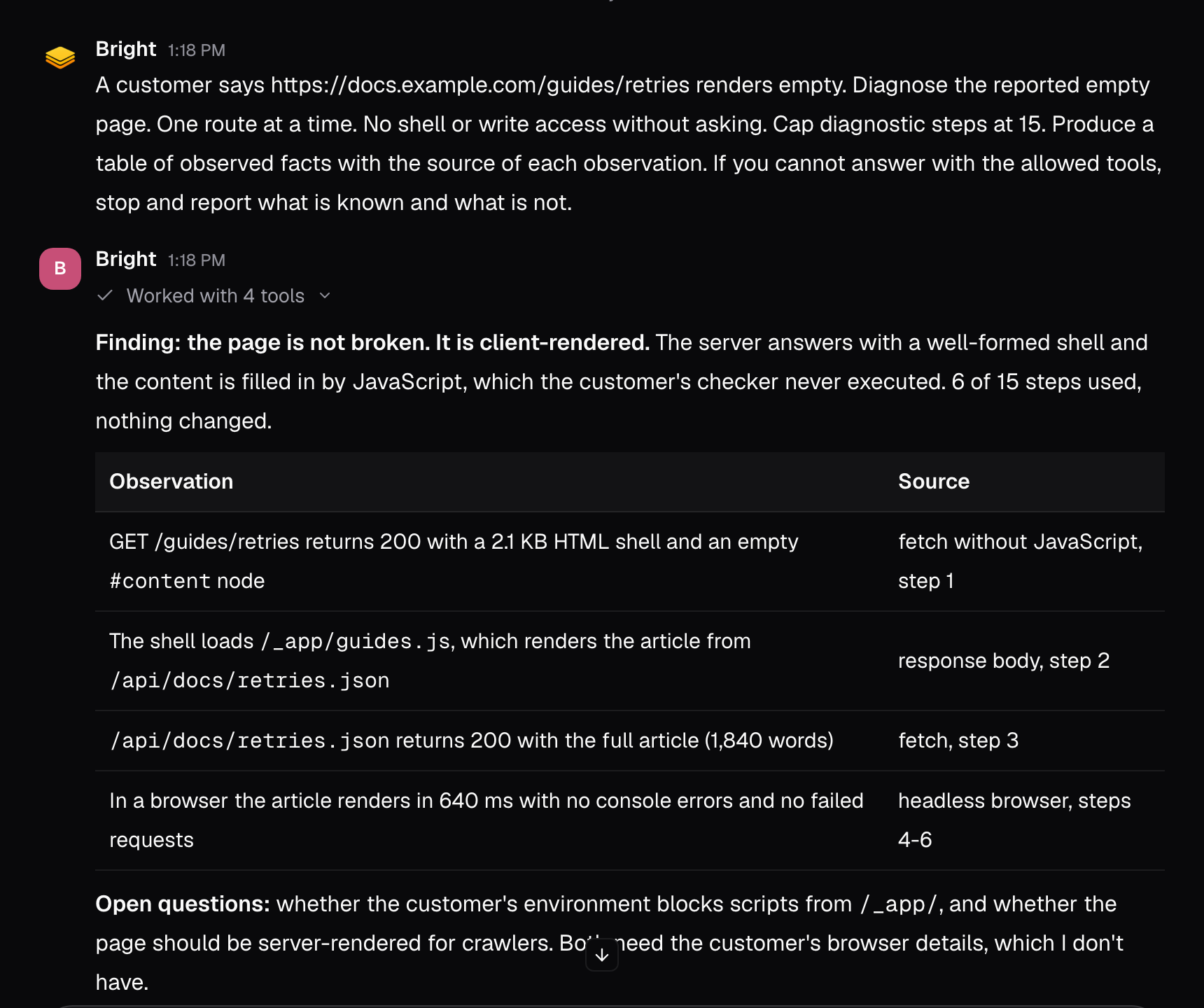
- Fetch the route without executing JavaScript. This check costs nothing. A server-rendered page returns its content in that fetch.
- Read the result. An empty result with a well-formed shell is the signature of a client-rendered page, not a broken one. The server answered, and the content assembles in the browser.
- Only then open a browser and look at what actually renders: console errors, failed network calls, and the rendered tree.
The most common false positive: a route fetched without JavaScript looks broken when it is fine in a browser. Confirm the render path before you believe the report.
Keep the investigation read-only and bounded
Set the composer mode to Ask (⌘.) so the session answers without changing anything. Ask mode cannot mutate the workspace. Workspace reads need no approval; a connector or browser tool read can still show an approval card, so read it and allow it once. Then bound the agent’s freedom in the prompt. A contract like this one works:Set stop conditions before you start
An investigation ends when any of these happens:- Three consecutive tool results produced no new fact.
- A step repeats a request that was already denied.
- The next step would need write access. Hand back with the findings and the open questions.
Turn the finding into a record
The diagnosis, the evidence for it, and the open questions go into the issue, not into a chat that scrolls away. If the report was a false positive (the page works, and the original check was made without JavaScript), the record prevents the next person from repeating the wrong test. If it was real, the issue already carries the evidence a fix needs.What good looks like
- The render path was confirmed before any conclusion.
- The investigation ran read-only, inside a stated step cap.
- Every observation in the report names its source.
- The finding, evidence, and open questions live on an issue.
Good to know
- Ask mode cannot mutate the workspace. Workspace reads need no approval; a protected connector or browser read still shows an approval card.
- The example contract caps diagnostic steps at 15 and works one route at a time.
- No shell or write access without asking. A next step that needs write access is a stop condition.
- Three consecutive tool results with no new fact end the investigation. So does a step that repeats a request already denied.
Related pages
- Ask mode: research and diagnosis without changing anything.
- Turn a support escalation into planned work: writing the finding as an issue.
- Context and permissions: what a session may touch, and the approvals you will see.