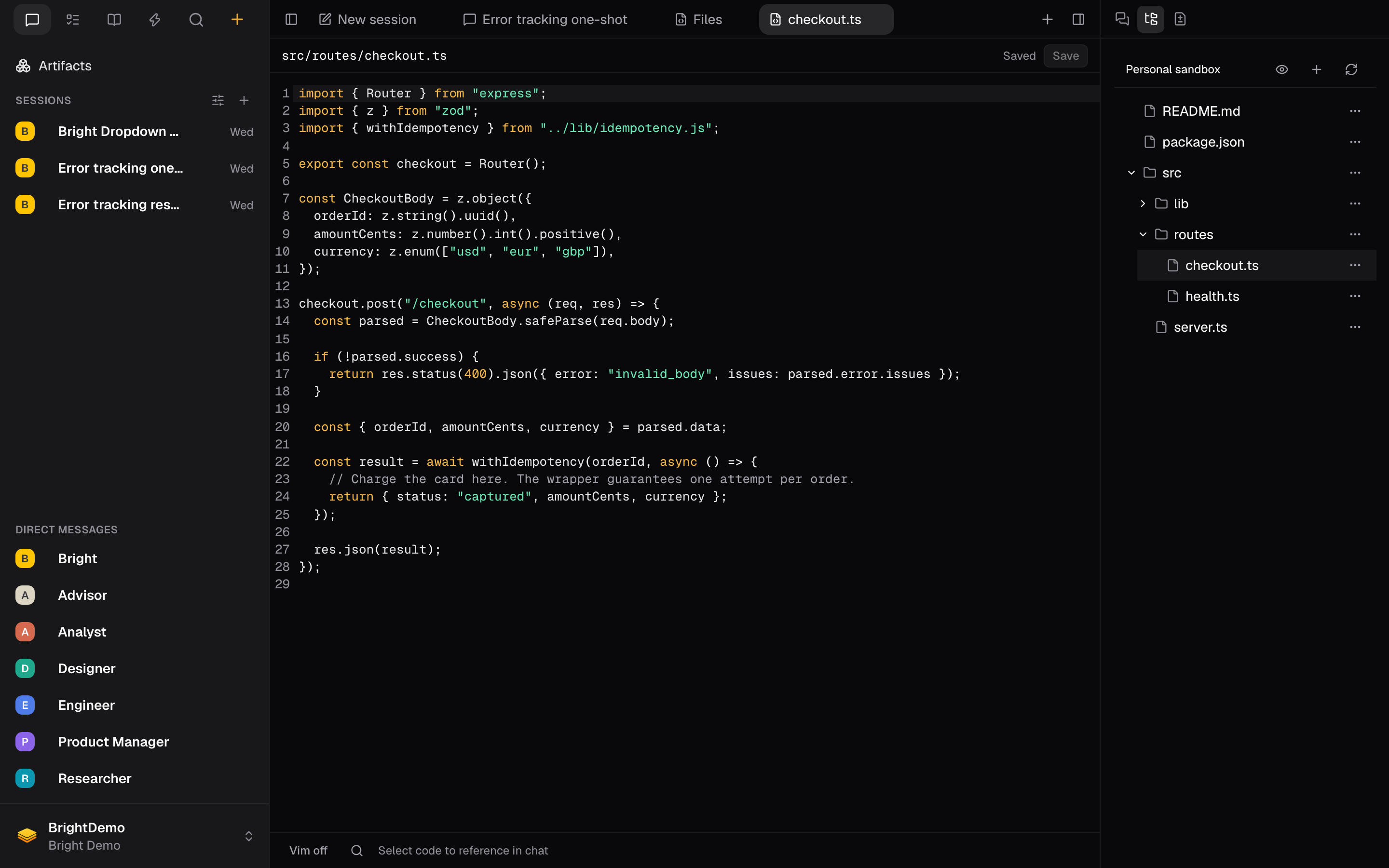
It runs in the cloud, not on your laptop
The editor is attached to a Personal sandbox, a Linux machine Bright runs for you in the cloud. Nothing is cloned to your computer, and closing the browser does not stop it. Three consequences are worth holding onto:- You get one sandbox per organization, not one per session. Every session, agent, and specialist you run in that organization shares it. Starting a new chat does not give you a clean machine, and it does not wipe the one you had.
- Your agents are editing the same files you are. If an Engineer agent is working while you have a file open, you are two writers on one filesystem. The editor notices and tells you rather than overwriting your work.
- It is temporary. The machine stops after about an hour of inactivity, and it can crash. When it comes back, it comes back empty.
Open the editor
- In the Work tab strip, select + (Open a resource).
- Choose Files for the editor, or Changes to review and commit.
- Select Browse files to open the file tree in the context rail.
The rail’s tabs change with what is in front of you. On a session you get Work, Artifacts, Side Session, Files, and Changes. On a file or changes tab you get Side Session, Files, and Changes.
Work with files
The header above the tree shows which sandbox you are in and which folder you are looking at. Three controls sit beside it: show hidden files, Create file or folder, and Refresh files.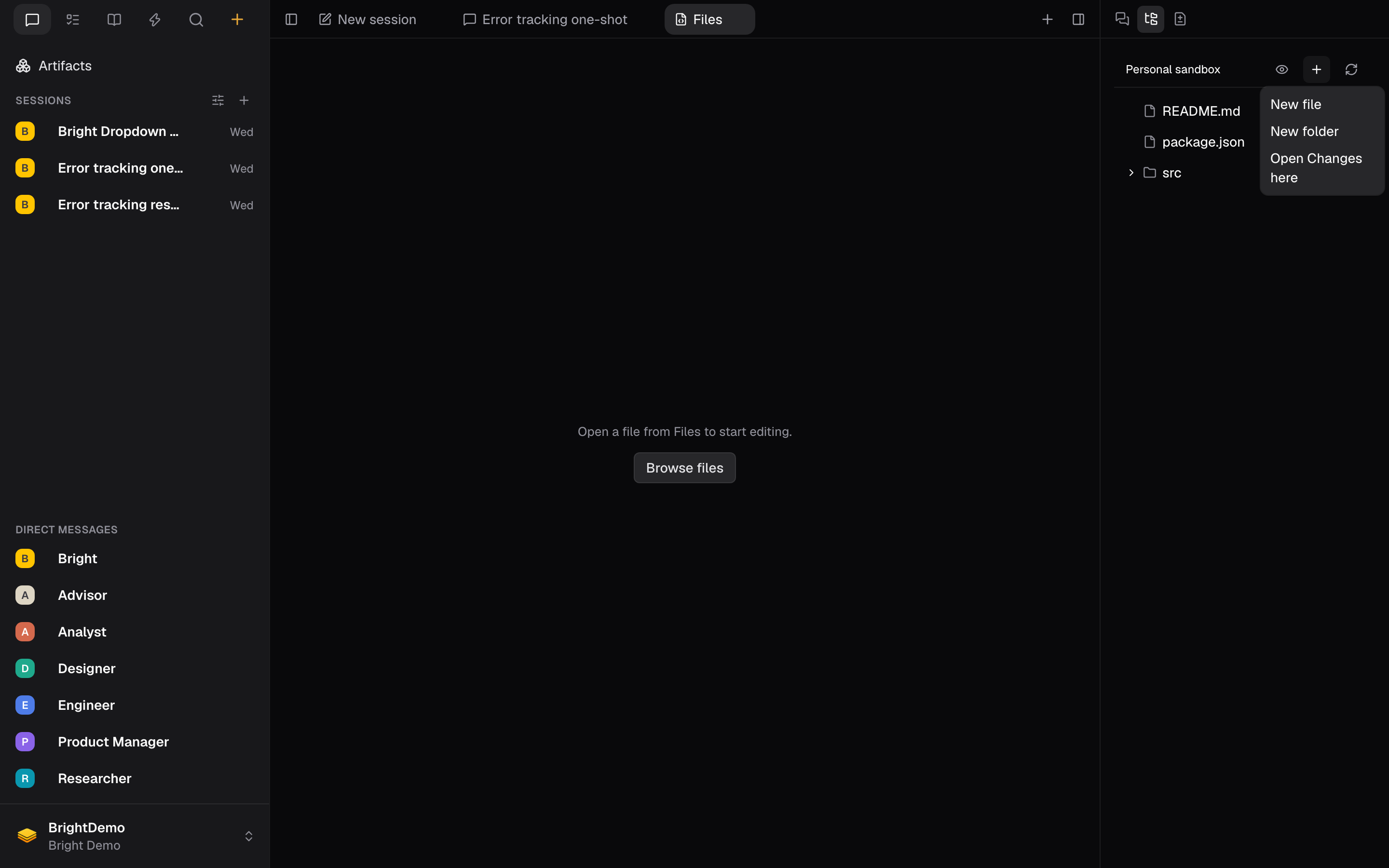 To create something, select Create file or folder, choose New file or New folder, and type a path relative to the current folder.
Paths are not created recursively.
To create something, select Create file or folder, choose New file or New folder, and type a path relative to the current folder.
Paths are not created recursively. src/routes/health.ts only works once src and src/routes exist, so make the folders first and the file second. If a parent is missing you get The operation could not complete. Check the path, permissions, and whether the destination already exists.
Every row has an Actions menu with the rest:
Deleting a folder deletes everything inside it. The confirmation says so, and it also reminds you that deleting a file does not commit the deletion. That is still a change you have to commit.
Edit and save
Open a file by selecting it in the tree. You get line numbers, syntax highlighting for the language Bright detects from the filename, bracket matching, undo history, and find and replace. There is a Vim off toggle in the status bar if you want modal editing.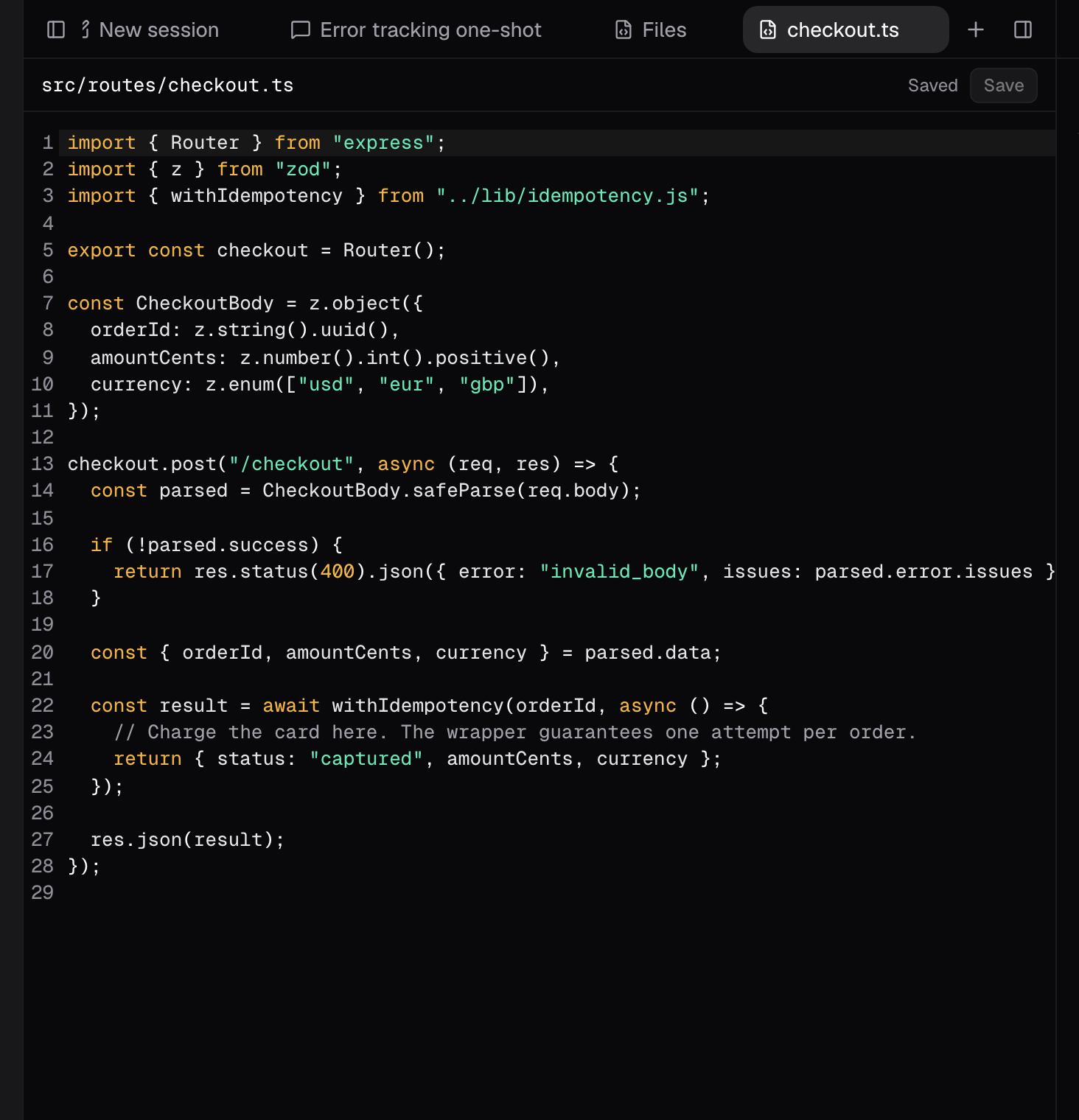 Saving is explicit. There is no autosave. Press Cmd+S or select Save. The label beside the button is the honest state of your buffer:
If an agent changes the file while you have it open, the editor does not clobber either version. It shows Changed in the sandbox. Your edits are kept. and offers Compare, Keep my draft, or Reload sandbox version.
Review and commit
The Changes view compares your working files against the branch and gives you Commit and Push.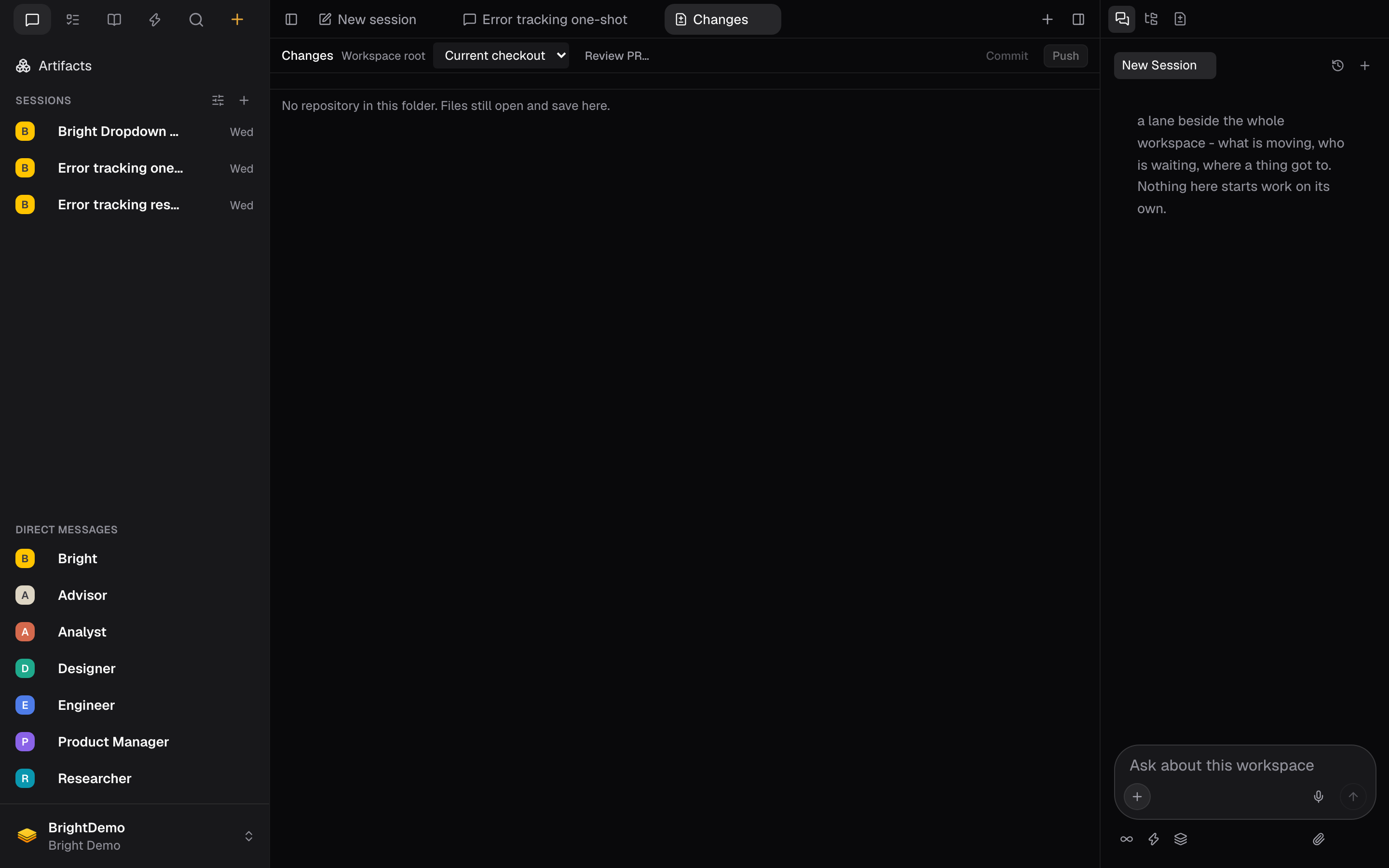 Committing is deliberately two steps. Select Commit, write a message, tick which saved files to include, then select Review operation. Bright shows you exactly what it is about to do, for example “Commit 3 files on main”, and only then does the button become Commit. Push works the same way and is never a force push.
The branch dropdown lets you look at another branch or a published pull request, but that is review only. Your checkout does not change, and Commit and Push are disabled while you are looking at one.
Committing is deliberately two steps. Select Commit, write a message, tick which saved files to include, then select Review operation. Bright shows you exactly what it is about to do, for example “Commit 3 files on main”, and only then does the button become Commit. Push works the same way and is never a force push.
The branch dropdown lets you look at another branch or a published pull request, but that is review only. Your checkout does not change, and Commit and Push are disabled while you are looking at one.
What the editor does not do
Being clear about the edges saves you hunting for buttons that are not there:- It cannot create or switch branches. You commit to whatever is checked out.
- It cannot open a pull request. It can show you one with Review PR…, and an agent can open one for you.
- It has no terminal. Ask an agent in chat to run commands.
- It does not clone repositories. A repository gets there when an agent clones it, which is why a fresh sandbox shows No repository in this folder. Files still open and save here.
Good to know
- One sandbox per person per organization, shared with every session and agent. Not one per session.
- The sandbox stops after about an hour of inactivity, and a restart gives you an empty filesystem.
- Local commits do not survive a reset. Only pushed work does.
- Files up to 10 MB, UTF-8 text only. Binary files cannot be opened in the editor.
- A commit takes 1 to 500 files and a message up to 10,000 characters.
- Push is never forced, and no tags are pushed.
- Deleting a file removes it from the sandbox. It does not commit the deletion.
- Folder paths are not created recursively. Create each folder before the file inside it.
- With no repository in the folder, the editor still works. Only the Changes view needs git.
- Where your code runs covers what survives a reset, and why a push is the completion signal.