Create a document
- Open Docs.
- Select New doc. A new Untitled document opens right away.
- Replace the title and start typing.
- Keep typing. The editor saves as you type, after a short pause, and shows an error with Try again only if a save fails.
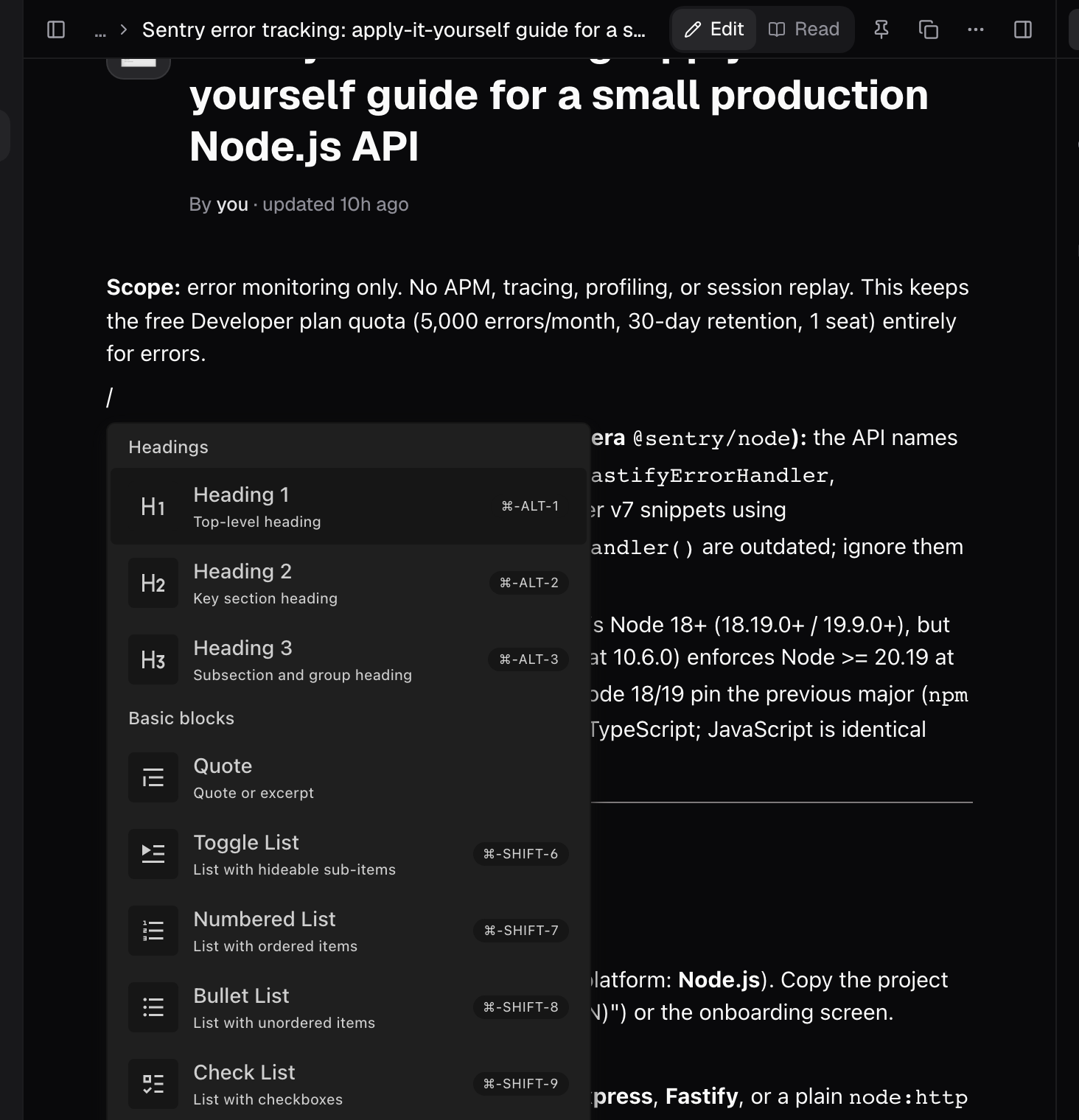
A block editor, not a text box
Type/ on an empty line to open the block menu. Most blocks also have a keyboard shortcut.
- Text: headings 1 to 6 (plus toggle variants), paragraphs, quotes, dividers.
- Lists: toggle, numbered, bullet, and check lists.
- Code: code blocks with syntax highlighting.
- Media: image, video, audio, and file blocks, each resizable, each with a caption.
- Other: tables with editable cells, and an emoji picker.
Organize documents into a tree
Every document in the sidebar can hold children. Use New doc inside on a document’s Actions menu to nest one beneath it: the parent gains a collapse arrow, and the child gets a breadcrumb back up. Move up and Move down in the same menu reorder documents. Two menus hold different powers. The toolbar Doc actions menu holds Visibility (Organization or Private), Copy link, Duplicate, New doc inside, and Delete doc. The sidebar’s Actions menu holds Rename, New doc inside, Duplicate, Pin, Move up, Move down, and Delete. Rename by clicking the title, and change the icon by clicking it (Choose doc icon).Deleting is permanent. There is no version history, no trash, and no restore. Deleting a parent deletes every document inside it, and Brightstack says so in the warning. If an edit makes you nervous, duplicate the document first.
Talk to your document
Every document has its own context chat. Ask questions about it or request changes while the document stays in view, and start a New Session when you want a clean slate. Copy link is in the toolbar Doc actions menu, and clicking the icon beside the title opens Choose doc icon.What agents put in Docs
An artifact is created when an agent produces something durable during a session, such as a document. That document joins the Docs tree and stays editable. Chat answers alone do not become artifacts, however detailed they are. You can find everything sessions have produced under Work, then Artifacts.Tips
- Use Read when you want to read instead of edit. Switch back to Edit at any time.
- If you want a session’s output to persist and be findable, ask Bright to put it in a document.
- If an edit makes you nervous, duplicate the document first.
Good to know
- Headings run from 1 to 6, plus toggle variants.
- The editor autosaves after a short pause. An error with Try again appears only if a save fails.
- There is no version history, no trash, and no restore. Deleting a parent deletes every document inside it.
- The toolbar Doc actions menu holds Visibility, Copy link, Duplicate, New doc inside, and Delete doc. Rename, Pin, nesting, and reordering live in the sidebar’s Actions menu.
- Chat answers alone do not become artifacts. Artifacts are listed under Work, then Artifacts.