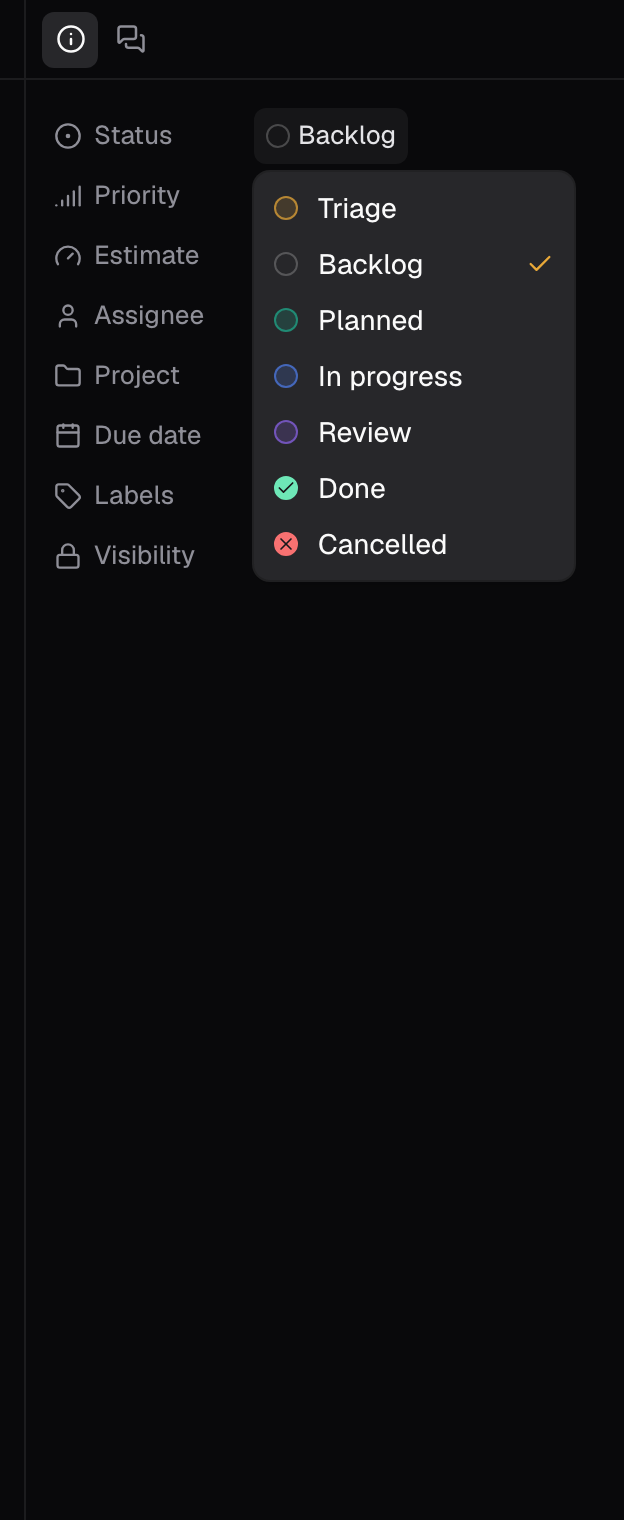
Status
Seven values, in workflow order. Grouping and board columns use the same seven.Priority
Four values. There is no explicit “none”; a new issue starts at Normal.Estimate
T-shirt sizing in five steps, plus an unset value. The rail row is labelled Estimate; the filter menu calls the same property Effort. The menu shows each size as a word, and the chip beside it shows the size as a letter. An estimate is a sizing signal, not a commitment.Assignee, Project, Due date, and Labels
Assignee defaults to Unassigned and stays that way until someone is on the hook. Project links the issue to one project, which decides where it is grouped in the plan. Due date is empty until you set one, and once set feeds the due-date buckets: Overdue, Next 7 days, Later, and No due date. Labels accepts multiple labels, each shown as a named chip in the label’s color; list rows show two and collapse the rest to +N.Visibility
Filtering by property
The filter control on any issue view filters on all eight properties: Status, Assignee, Priority, Effort (the Estimate row: Extra small through Extra large, plus No size), Labels, Due date, Project, and Visibility. Only the Status filter is written to the URL (for example/<org>/plan?status=review); the other filters apply to your current visit. Issues covers how issues move through the workflow, and what views and filters can do.