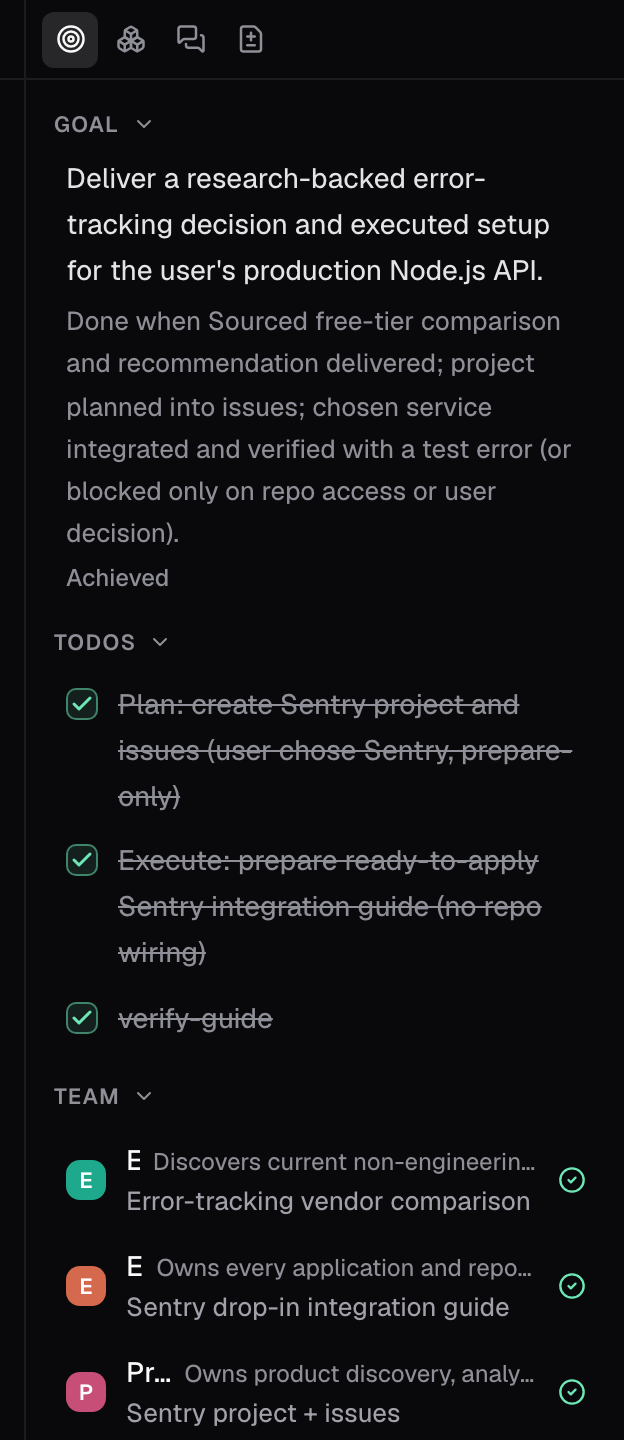
The loop
- Define the goal. What done looks like, in terms that can be checked.
- Gather the context needed to execute: the repository, linked issues, documents, connected sources, and past work.
- Take action. Write the code, draft the document, create the records.
- Verify the result against the goal and its constraints.
- Repeat until every condition is met.
Why this changes how you write issues
An issue with no definition of done gives the loop nothing to verify against, so it stops when the agent judges itself done. An issue that defines done lets the loop run itself to that bar. Write the definition of done into the issue:- The outcome.
- The constraints.
- How to check it.
Good to know
- The right rail reports the goal and task progress while the loop runs.
- Approvals pause the loop when a step needs you.
- Without a stated definition of done, the loop stops when the agent judges itself done.
- The loop walkthrough takes the loop step by step: ask, plan, agent. One-shot runs the whole loop from a single prompt.