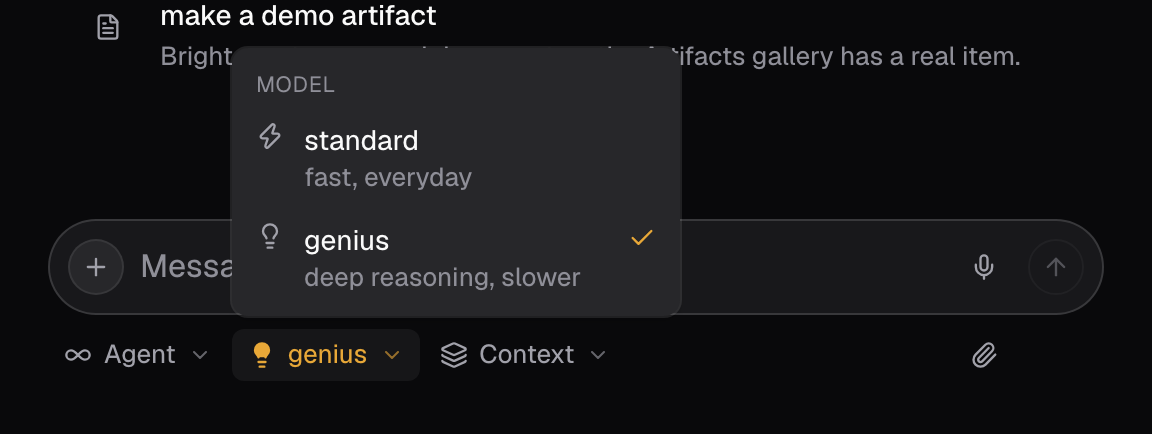
The two tiers
- Standard is the default tier, used whenever Genius is off.
- Genius runs a more capable frontier model. It is the slower, deep-reasoning option, and the higher-cost one. The composer flags it while it is active.
When to turn Genius on
- Consequential or hard-to-reverse decisions, where a wrong answer is expensive to unwind.
- Work with many interacting constraints that a weaker model tends to flatten.
- Tasks where you cannot easily check the answer yourself.
When to leave it off
- Lookups, navigation, status questions, and other bounded retrieval.
- Mechanical edits and formatting.
- Anything you will verify immediately anyway.
Tips
- Pair Genius with the Advisor specialist. It exists to weigh plans and tradeoffs, the same situations where the stronger tier earns its cost.
Good to know
- Standard is the default. Genius is on only when you switch the composer’s model selector to it.
- The composer flags Genius while it is active. Expect slower replies from it, and a higher cost.
- The specific models behind each tier change over time, so this page names tiers, not models.