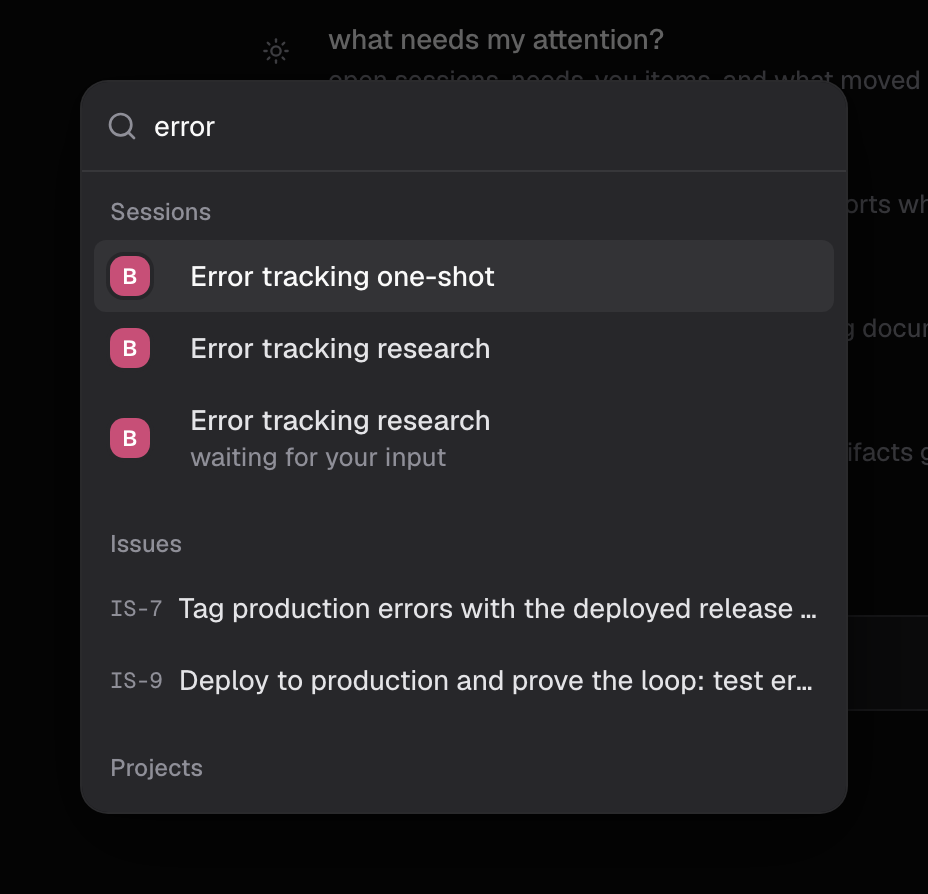
Start with ⌘K
The command palette opens from anywhere with ⌘K. It searches sessions, projects, issues, documents, and artifacts in one list, and its Go to shortcuts reach sections such as Skills, Agents, Apps, and Settings. Paste an issue code likeIS-42 and the palette jumps straight to it. Destinations are scoped to your organization, so the palette only shows what the active org can see.
Search issues by title
The Search issues box above the issue list filters the current view and matches titles only. Against an issue titled “Card payments fail intermittently on retry” whose description mentions the web checkout and idempotency keys:
Issues covers views, filters, and counting caveats.
What the URL carries
Only the Status filter is written to the URL, for example/<org>/plan?status=review, so a status-narrowed list is a link a teammate can open. The selected view is remembered per browser, and the search text and other toolbar filters apply only to your current visit.
Find documents
In Docs, the quick switcher finds documents by title. Documents covers where documents live and how artifacts relate.When nothing else works, ask
An agent in Ask mode queries the workspace directly rather than through an index, so it reads descriptions, sub-issues, and records no list view displays. It is the reliable way to get a complete answer, such as a true count that includes sub-issues. Sessions and modes covers starting and organizing sessions.Tips
- Use the palette when you know roughly what you want and want to go there.
- An empty issue-search result means “no title matched”, not “no such issue”. Try a title word, open ⌘K, or ask an agent, which reads descriptions too.
- For a true count that includes sub-issues, ask an agent in Ask mode.
Good to know
- ⌘K searches sessions, projects, issues, documents, and artifacts, scoped to the active organization. Agents appear only as a Go to destination.
- Issue search filters the current view and matches titles only.
- Only the Status filter is written to the URL. Search text and other filters are not shareable.
- The Docs quick switcher finds documents by title.
- Ask mode queries the workspace directly, not through an index.